.png?width=800&height=160&name=Untitled%20(4).png)
The installer is saved to your Downloads folder by default, unless otherwise specified by your device settings. If you want to add a shortcut to your desktop for easier access, it takes just a few clicks.
First, open File Explorer and browse to your Downloads.
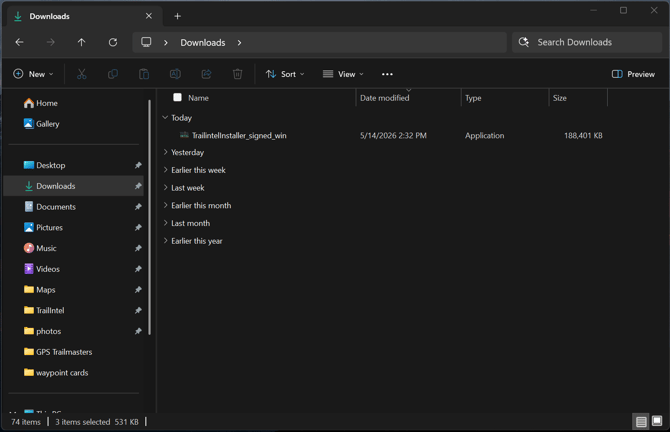
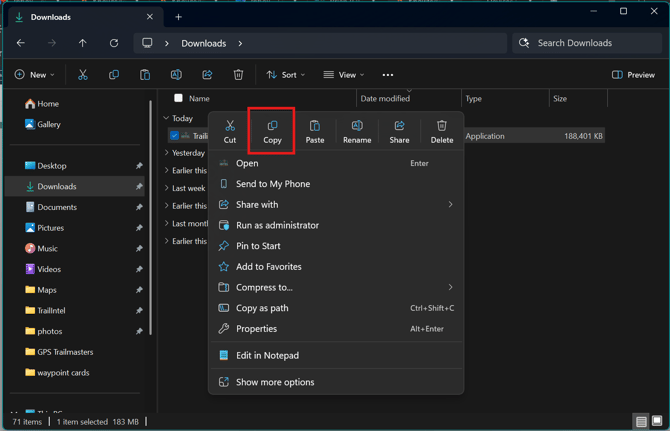
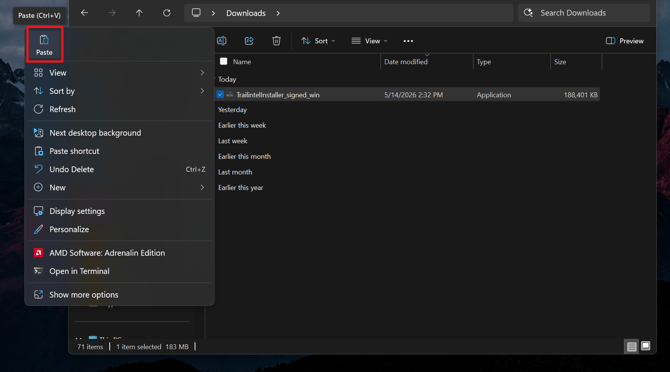
Locate the TrailIntel installer, and right click it. You can then click "Copy", then paste to your desktop.
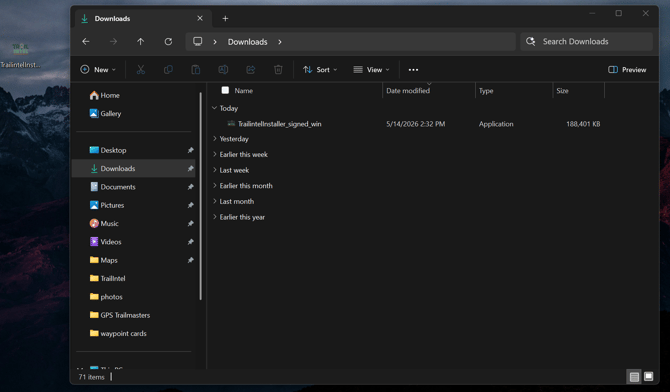
To run a trail map update on your Garmin, simply open the map installer from your desktop. When there are new trail maps available, you will run this same program file from your computer - the installer will pull the new maps from TrailIntel on its own.
When we release new versions of the installer program to introduce new features, you will get an alert prompting you to download the update. Clicking "Yes" will automatically run the download.
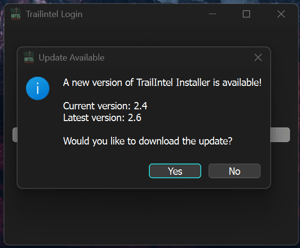
This download will place a new download in your computer, it will not overwrite the previous installer. So when you download a new version of the installer program, just remove the old shortcut from your desktop and make a new one!