.png?width=800&height=160&name=Untitled%20(4).png)
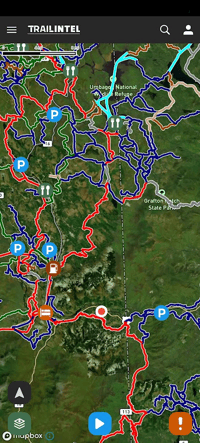
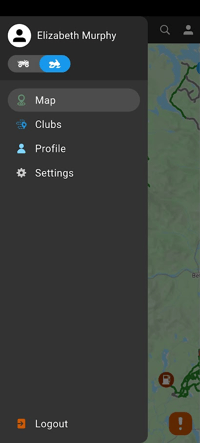
To swap map types, click the three lines in the upper left corner, then click the toggle to swap between ATV and snowmobile maps. Here, ATV is already selected.
-png.png?width=200&height=446&name=articles%20(4)-png.png)
-png.png?width=200&height=446&name=articles%20(6)-png.png)
Once you switch the toggle, tap out of the menu to see the new map set. Now the map is set to snowmobile. To change the background map style from street and topographic information to a satellite view, click the map layers button in the lower left corner.
-png.png?width=200&height=445&name=articles%20(5)-png.png)