.png?width=800&height=160&name=Untitled%20(4).png)
Our Garmin trail map installer features the option to install maps both with and without a background map, depending on your selection. The checkbox beneath the map graphic indicates your choice before installation and is set to include the background map by default.
Our background map includes street data for your reference as you travel along the trails. Without the background map, you will see our trails on a transparent background to overlay on another background map, generally a topographic or satellite view.
(*Note that if you overlay our map on top of a street map, the device will produce routes on top of the roads and trails. This doesn't happen with topographic or satellite maps because they're comprised of images rather than routable road features.)
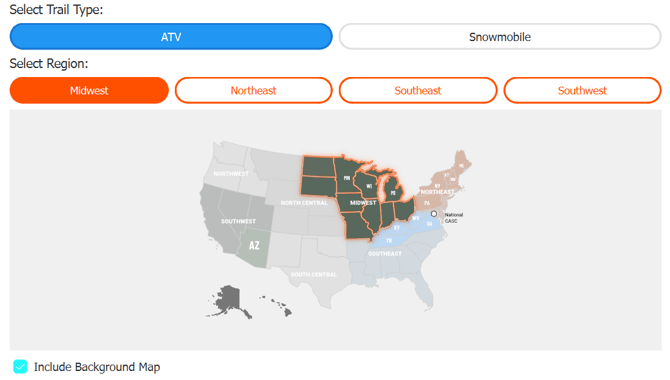
In general, most users with automotive-style GPS units will want to include the background map, and users with offroad and powersports-style GPS units will not. These units come with data-rich background maps of their own from Garmin. Usually these maps are called "TopoActive" in the Garmin settings.
We recommend installing without our background map and using the factory topographic background map for the following particular Garmin models: GPSMAP H1 and H1 Plus, Montana 610t//650t/680t and Montana 700/700i/750i710/710i/760i
Reach out to us if you'd like advice for your model!